
Everything Hunt Browser does
The browser that gives back.


What Hunt Browser is
Hunt Browser is a free web browser for Windows, Mac, Android and iPhone. It blocks other sites' ads and trackers, has Hunt AI and everyday tools built in, and shows news, greetings and daily cards in Indian languages.
Who it is for
- People who browse in Telugu, Hindi and English
- Students, creators and people who work in a browser all day
- Advertisers who want to reach them, clearly labelled
Where it runs
| Windows Windows 10 and 11, from huntbrowser.com/download | |
| Mac Apple-silicon Macs, from huntbrowser.com/download | |
| Android From Google Play | |
| iPhone and iPad From the App Store |
 Thaja · Newtact
What is inside
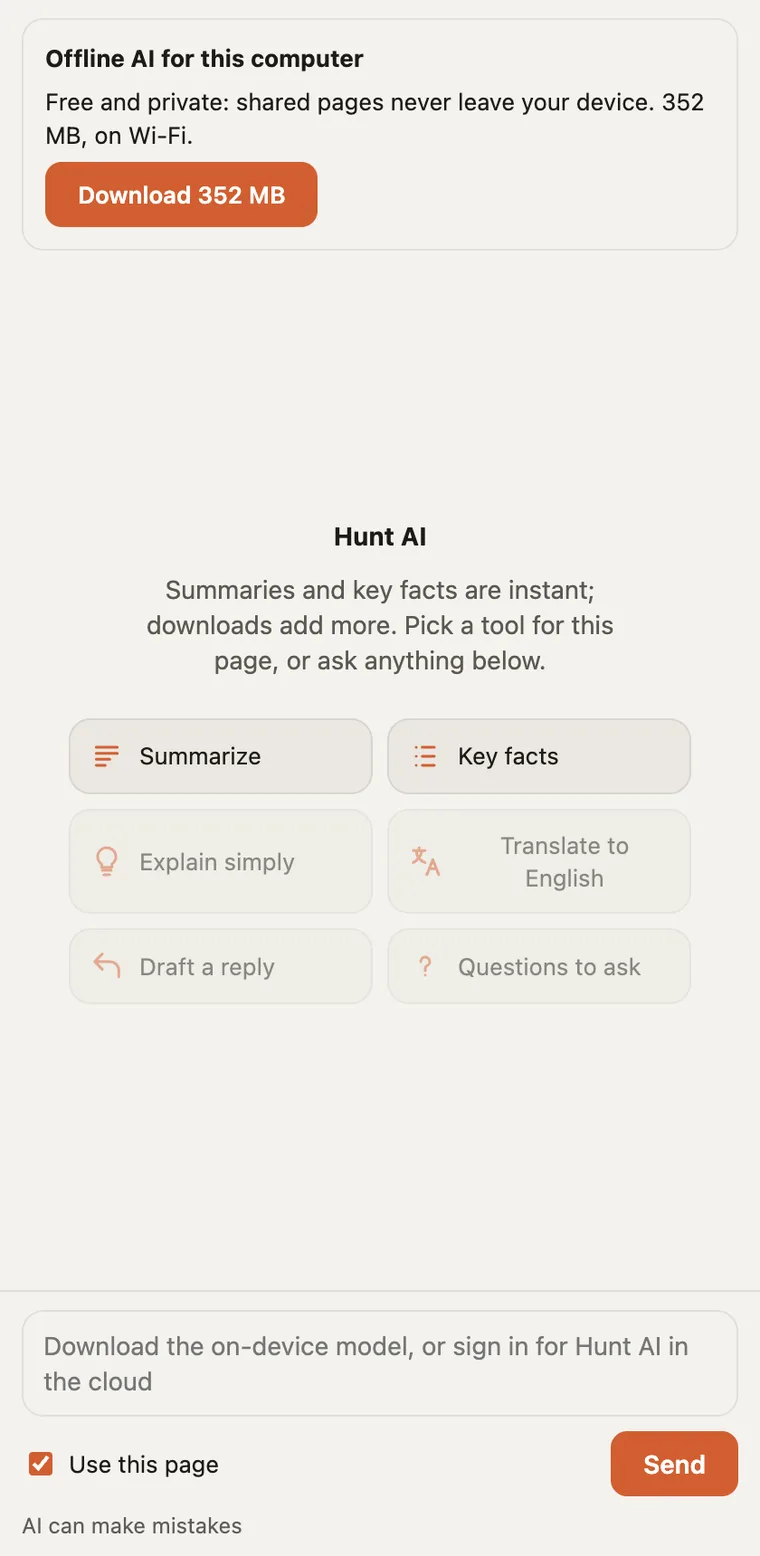
Thaja · NewtactHunt AI
Ask about any page. Start on your own computer, with no account.
Thaja · NewtactHunt AI on your device
Summaries, key facts, explanations and translation, run on your computer. No account needed.
- Free, with no account
- The page stays on your computer
- Works without the internet after a one-time download
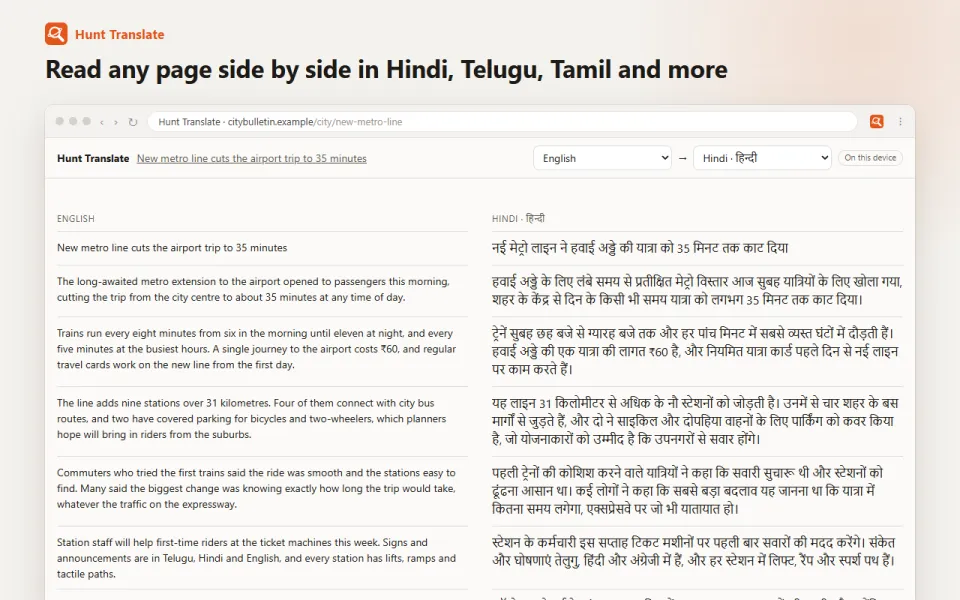
Thaja · NewtactOffline translation
Translate between English and Indian languages on your device, even offline.
 Thaja · Newtact
Hunt AI in the cloud
Free answers every day from a larger AI model.
- Ask "Explain this page simply" or "Draft a polite reply"
- The panel shows how many free answers are left today
- Questions are never used to train AI models
Thaja · NewtactHunt AI Premium
Longer answers that read more of the page, with AI credits. Watch a short video to get more credits.
- Reads more of the page and answers in more detail
- AI credits come from watching a short video
- Credits are never bought
Thaja · NewtactHunt AI for websites
Approved websites can ask to use Hunt AI on your computer, for example to suggest words while you write. You answer Allow or Don’t allow in Hunt’s own window, never the site’s.
- You stay in control: revoke a site at any time
- What the site sends stays on your computer
Hunt Skills
A skill is a question you save once and run on any page, such as "Summarise in Telugu". Pin it to the chat, the right-click menu and the Hunt button.
- Repeat your favourite question in one click
- Use Hunt’s ready-made skills or write your own
- Your own skills stay on your computer
Thaja · NewtactHunt Tools
Handy tools built into Hunt Browser for Windows and Mac. Nothing else to install.
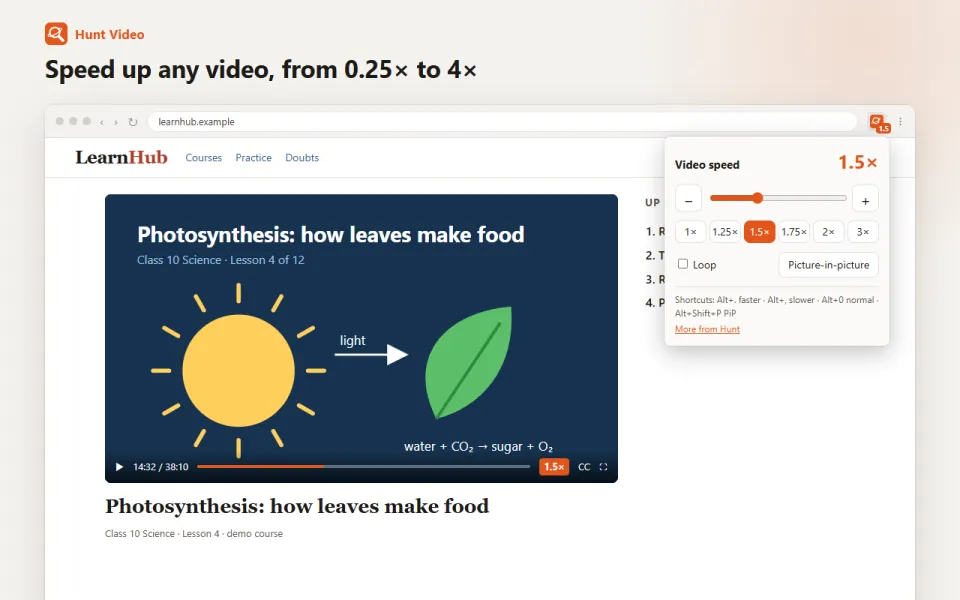
Thaja · NewtactVideo speed, loop and picture-in-picture
Play any video faster or slower, loop it, or keep it playing in a small window.
- Watch a lecture faster and save time
- Keep a video playing in a small window while you take notes
- Works on your computer
 Thaja · Newtact
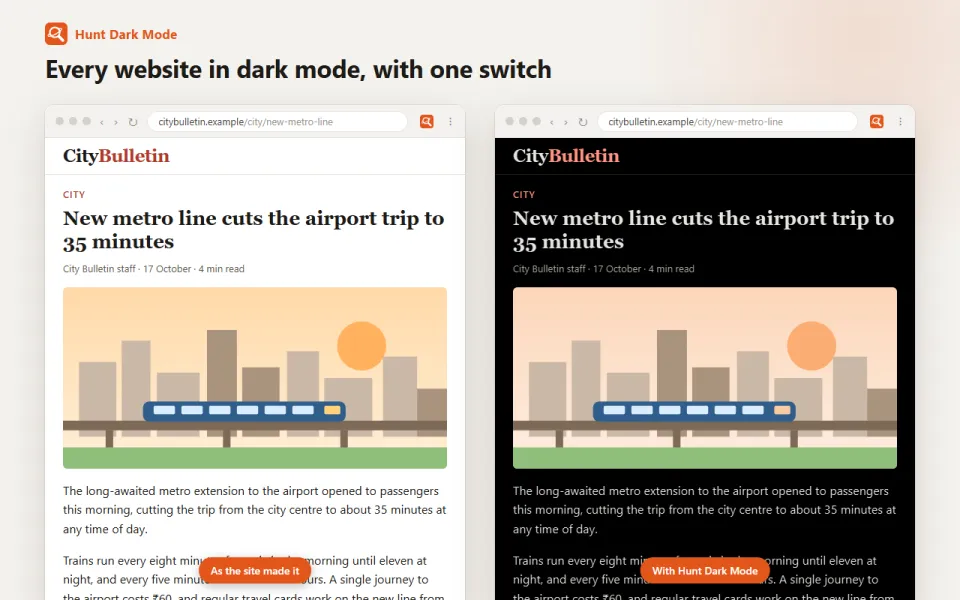
Dark mode for every site
Turns bright sites dark, and you can keep any site as it is.
- Read at night without the glare
- One switch for all sites
- Keep any single site in its own colours
 Thaja · Newtact
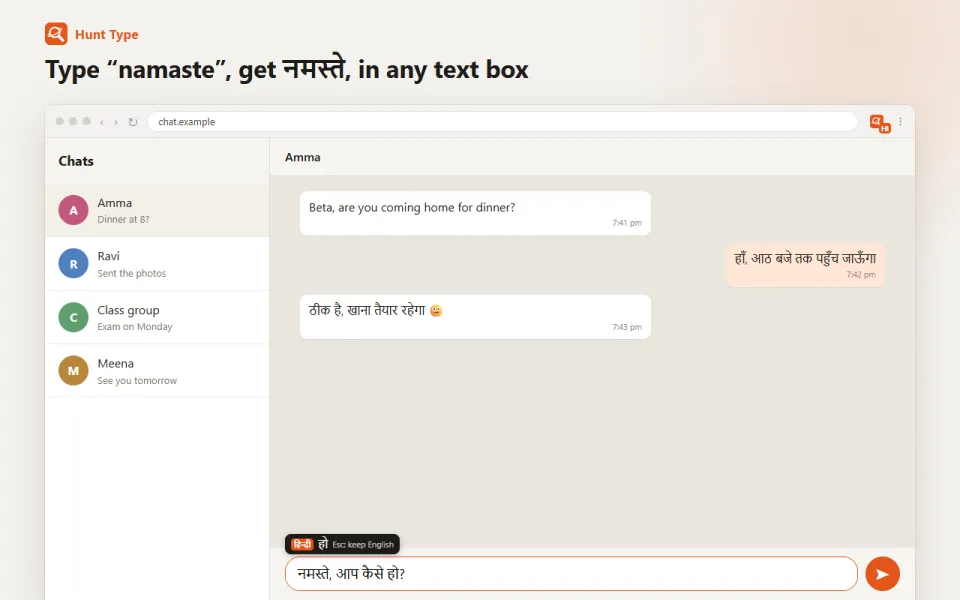
Type in your language
Type Telugu, Hindi and 10 more Indian languages in any text box, in English letters.
- No special keyboard needed
- Esc keeps a word in English
- Emails, links and passwords are never changed
- Everything happens on your computer
 Thaja · Newtact
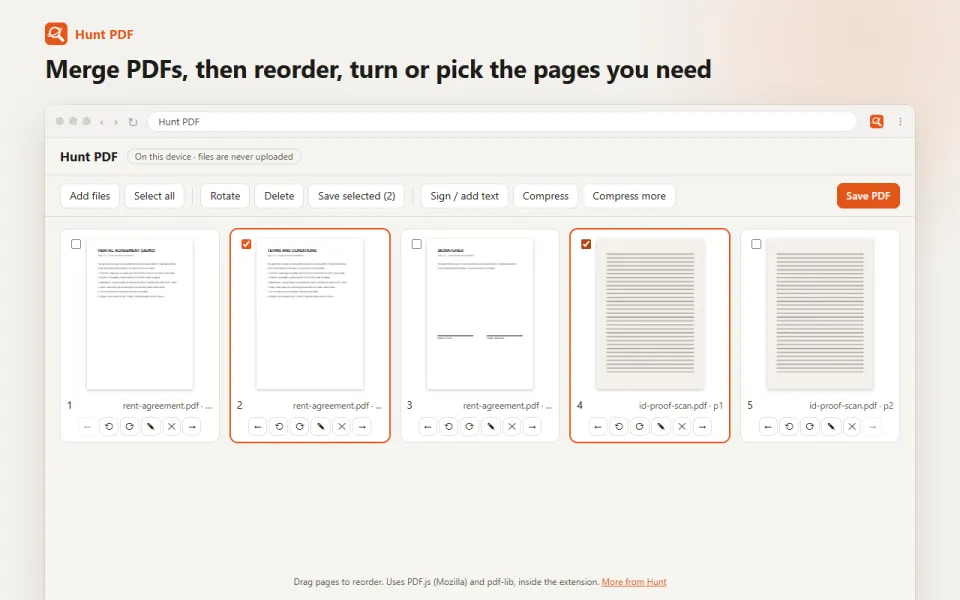
PDF tools
Merge, split, rotate, reorder, compress, sign and add text to PDFs. Files stay on your computer.
- Join Aadhaar and PAN scans into one file
- Sign a form without printing it
- Shrink a file to fit an upload size limit
- Files are never uploaded
 Thaja · Newtact
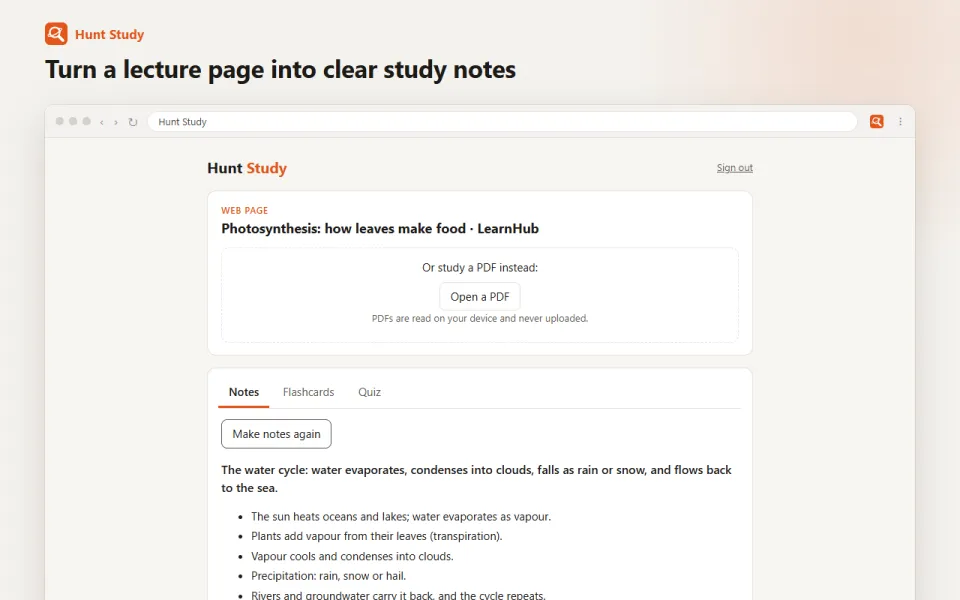
Study
Notes, flashcards and a quiz from a lecture page, a video with captions or a PDF.
- Revise a chapter in minutes
- Test yourself with a quick quiz
- PDFs are read on your computer
 Thaja · Newtact
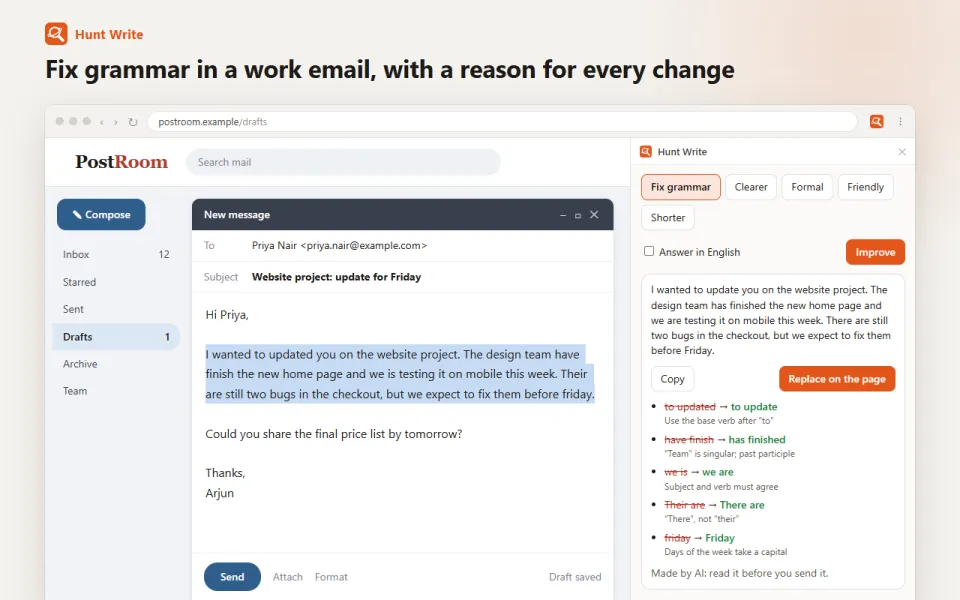
Write
Fix grammar, or make your text clearer, formal, friendly or shorter, in English, Hinglish and Indian languages.
- Send a cleaner work email
- Turn Hinglish into formal English
- Uses your free daily Hunt AI answers
 Thaja · Newtact
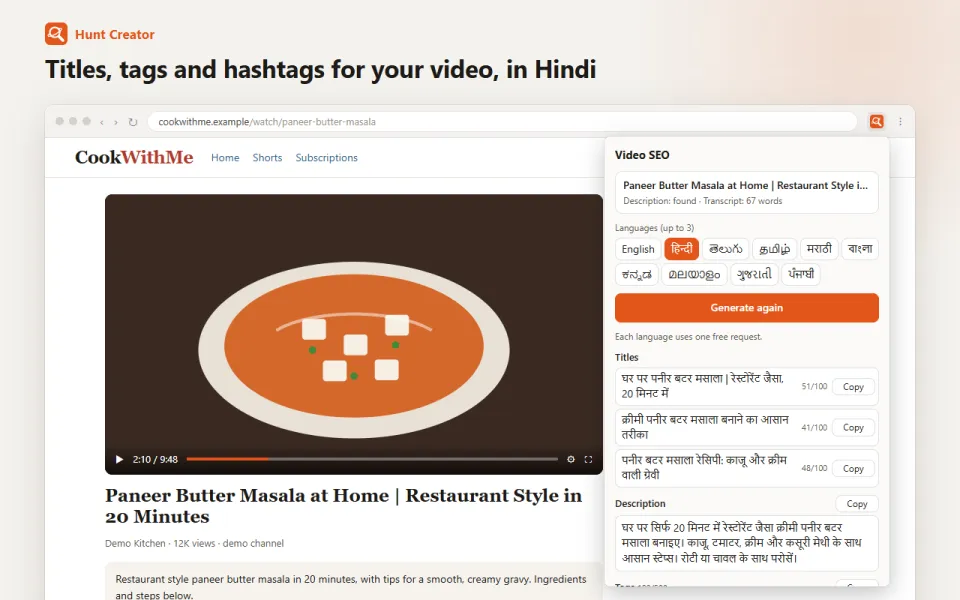
Creator
Titles, a description, tags and hashtags for your video, in English and nine Indian languages.
- Ready-to-paste titles and tags
- Reach viewers in Hindi, Telugu, Tamil and more
- A copy button on every title and tag
 Thaja · Newtact
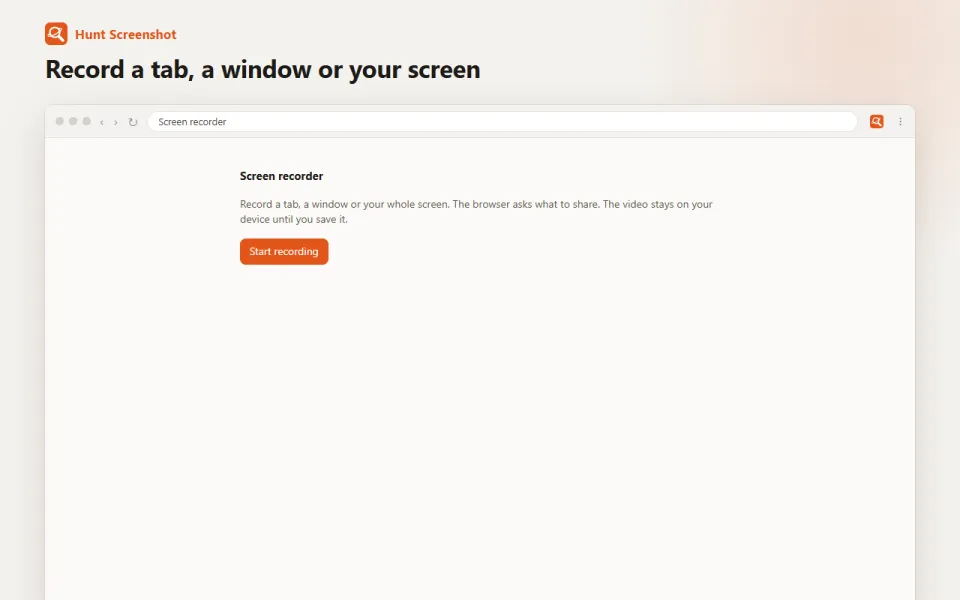
Screen recording
Record a tab, a window or your whole screen, with your voice. Pause, trim and save it on your computer.
- Make a quick how-to video
- Pause, review and trim before you save
- Nothing is uploaded
 Thaja · Newtact
Browsing & privacy
Faster pages, fewer trackers and your apps beside you.
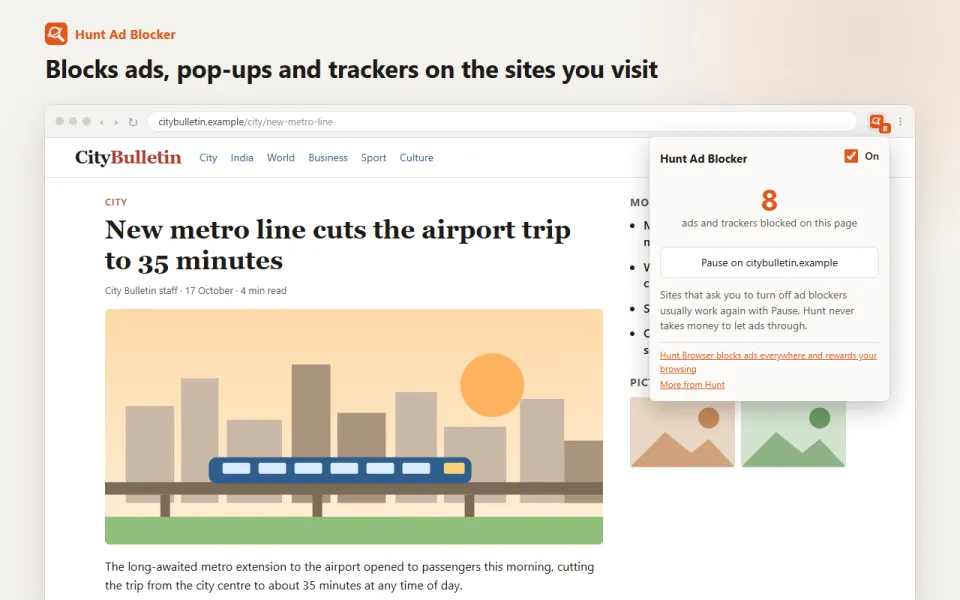
Thaja · NewtactAd and tracker blocking
Blocks other sites' ads and trackers before they load, so pages open faster and follow you less.
- Pages open faster and use less data
- Fewer trackers follow you around the web
- On a computer, one click pauses blocking on a site that asks
- Works on your device; Hunt does not see the pages you visit
 Thaja · Newtact
Fewer video ads
On video sites, the ads are removed from the page's data before it loads, so sponsored cards and the ads that play before a video don't appear. If one plays anyway, it is muted and its picture blanked until it ends.
- Videos start without the ad before them
- Switch it off any time from the Hunt button
- Nothing about what you watch is sent to Hunt
Thaja · NewtactSidebar apps
Keep chat and social apps open beside any page, in the bar on the left.
- Reply to a chat while you read, without switching tabs
- Add your own sites, like a college portal
- Each app is the real website; Hunt does not read your chats
 Thaja · Newtact
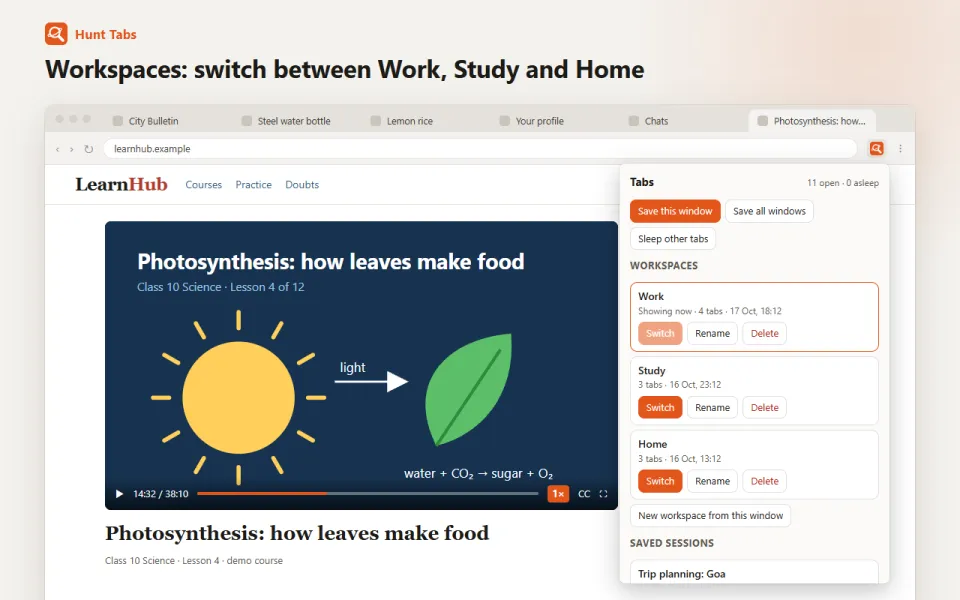
Workspaces
Save a set of tabs as a workspace and open it again later in one click.
- Keep work, study and home tabs apart
- All tabs come back in one click
- Saved on your computer
 Thaja · Newtact
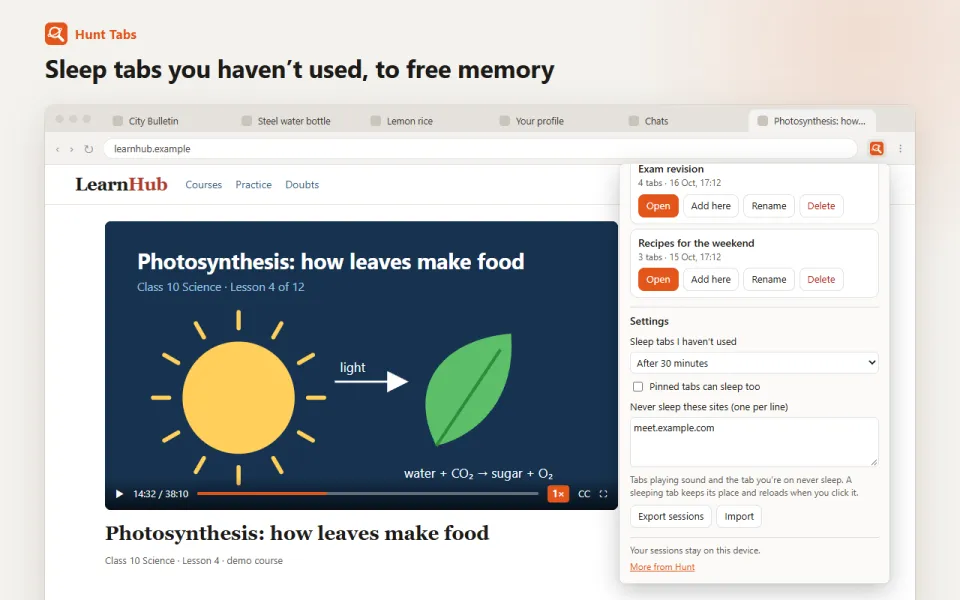
RAM, CPU and network limits
Puts busy background tabs to sleep and can cap download speed, so your computer stays quick.
- Tabs you are not using stop using memory
- Sleeping tabs wake when you click them
- Works fully on your computer
 Thaja · Newtact
Video downloader
On a page that links to a plain video file, the Hunt button can list it and download the one you pick. Streams, video-sharing sites and protected videos cannot be downloaded.
- Save a plain video file in one click
- A clear rule: only videos you have the right to save
Your privacy choices
You decide what is shared: "Share usage statistics" sends only counts such as active minutes, new tabs and searches, never the pages you visit. Crash reports on a computer are your choice, and huntbrowser.com/privacy says in plain words what is collected and why.
- Turn usage statistics off at any time
- Ask to see, correct or delete your data from the help page
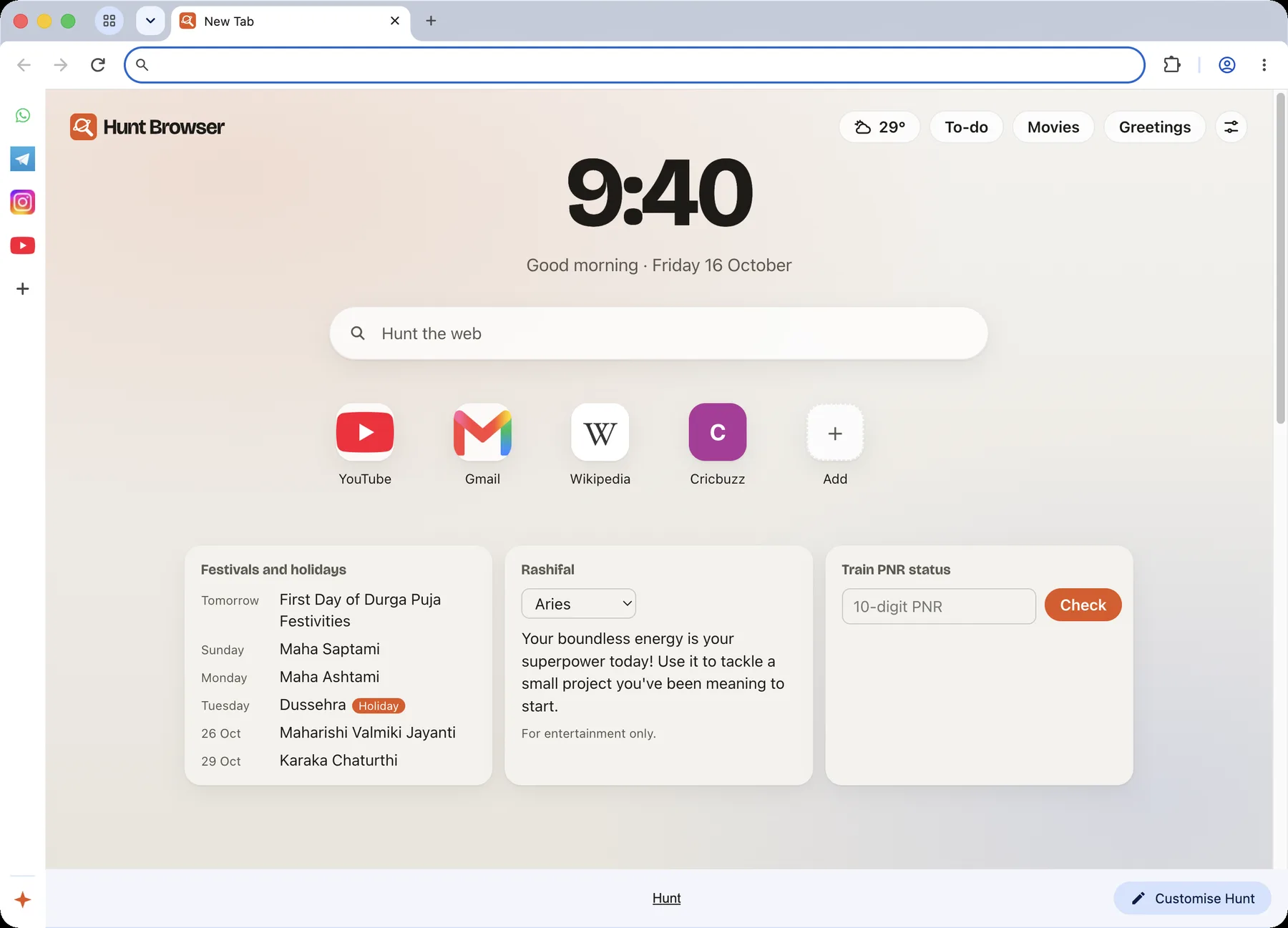
Thaja · NewtactNew tab
News, greetings and movies in your language, every time you open a tab.
Thaja · NewtactNews and daily cards
Headlines in your language, weather, festivals and offers on the new tab.
- News in your own language
- More stories load as you scroll
- Sponsored cards are labelled
Thaja · NewtactGreeting cards
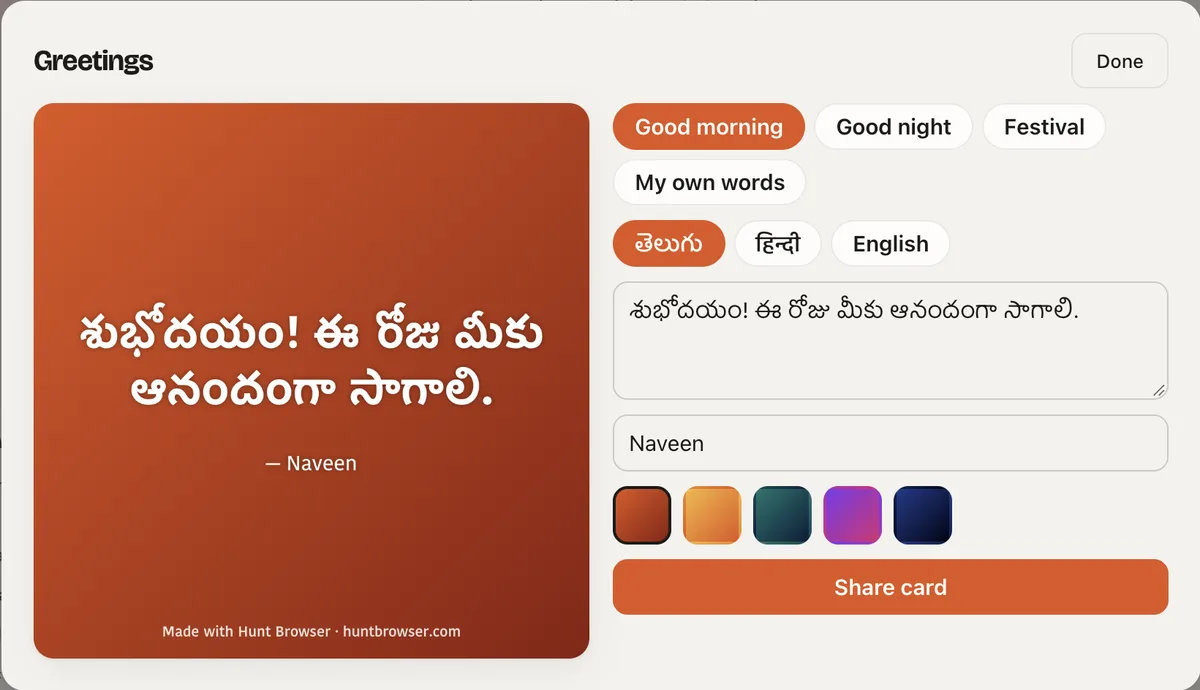
Make a greeting card in two taps: good morning, good night or today's festival, with your name on it.
- A card in two taps
- Your own words and colours
- Made on your computer
 Thaja · Newtact
Movies and OTT
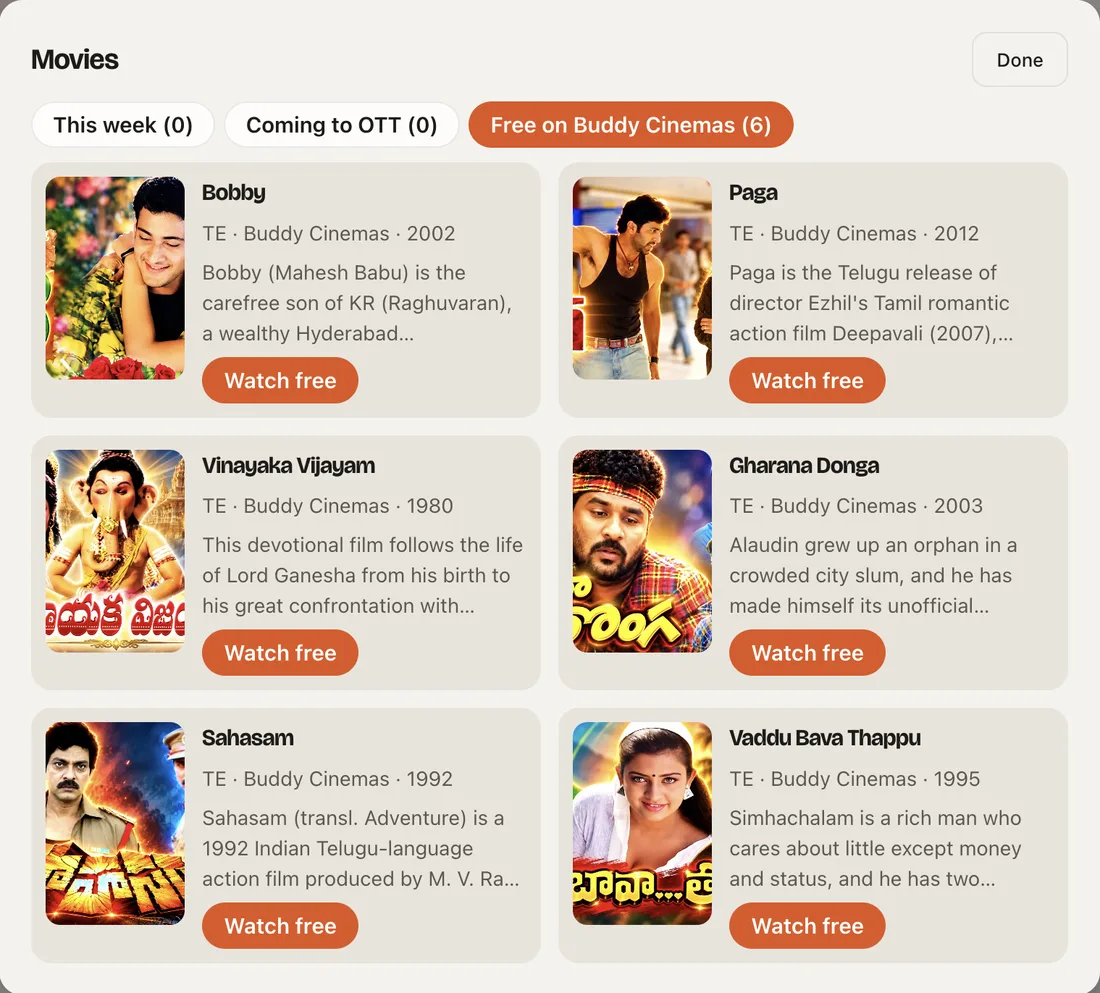
See this week's releases and what's coming to OTT, set a reminder, and watch free Telugu films from Buddy Cinemas.
- Know what is new this week
- A reminder when a film reaches OTT
- Free films to watch
 Thaja · Newtact
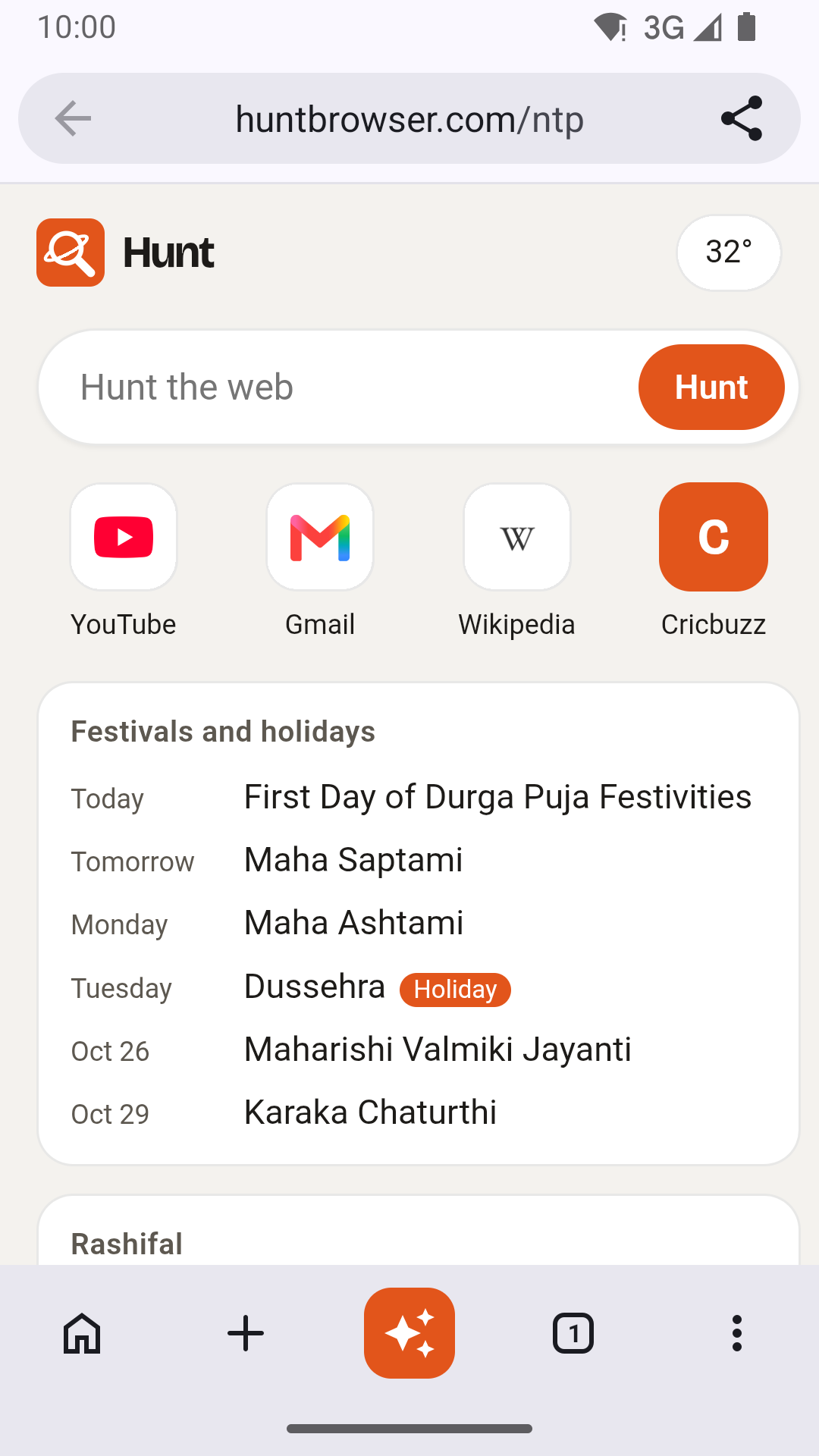
Festivals, rashifal and PNR
Today's festivals and holidays, a daily rashifal (just for fun) and train PNR status, on the new tab.
- Never miss a festival or holiday
- Check a train ticket from the new tab
 Thaja · Newtact
Shopping help
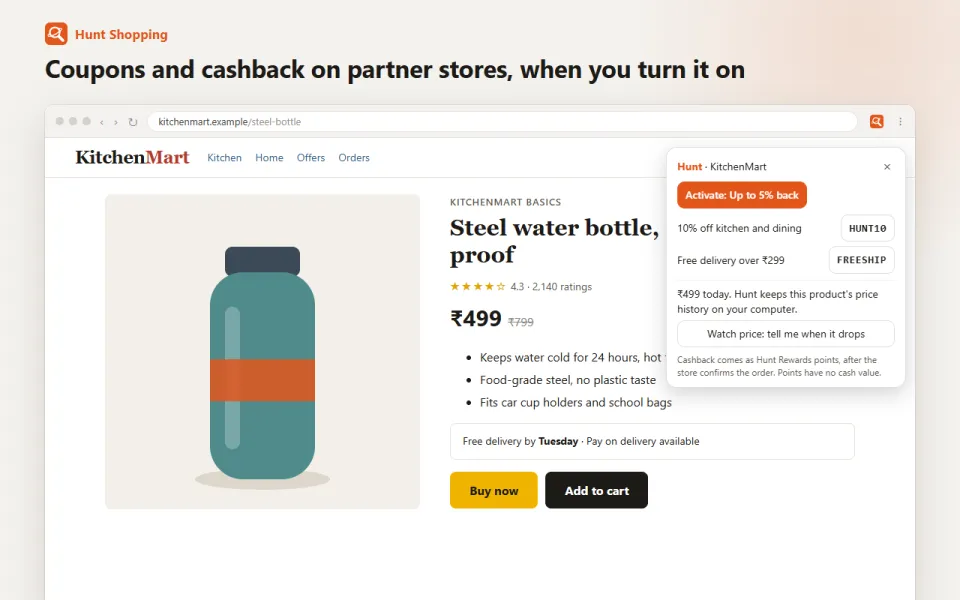
Price history and coupons on shopping sites.
- See if today’s price is a good one
- Get told when the price drops
- Only on stores you allow
 Thaja · Newtact
Photo of the day
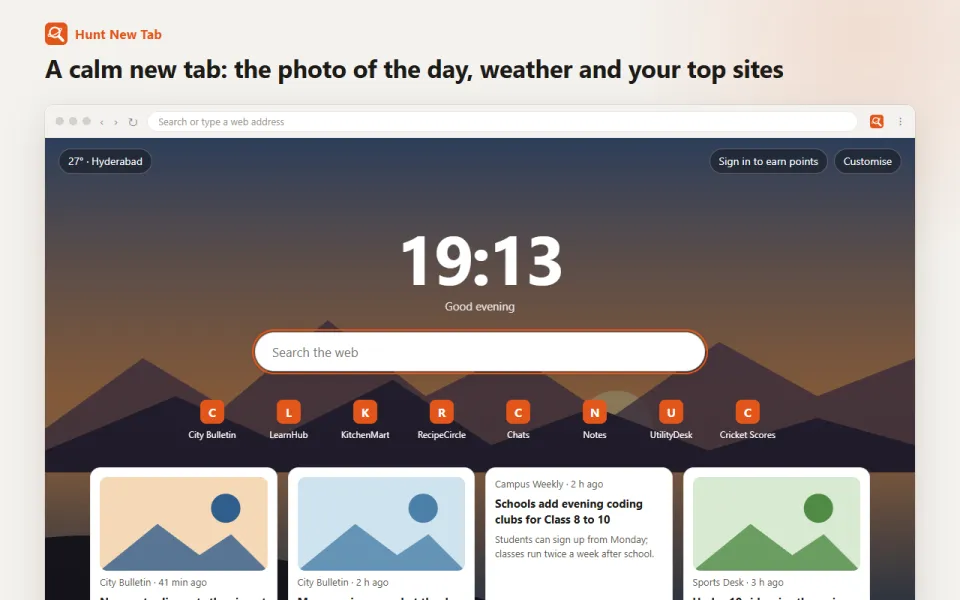
The new tab can show the photo of the day from Wikimedia Commons, with its author and licence credit. Sponsored wallpapers are always labelled.
- A fresh picture every day
- A clear "Sponsored" label when it is an ad
 Thaja · Newtact
Topic alerts
Pick topics such as Cricket, Breaking news or New movies and get a notification when the Hunt team sends an alert on one. Alerts are never sent during quiet hours at night.
- Only the topics you choose
- Quiet hours at night
Thaja · NewtactSearch, shortcuts, clock and layouts
The new tab shows the clock with a greeting, the "Hunt the web" search box and your shortcuts. Customize picks a layout (Focus, Inspire or Info) and hides the cards you do not want.
- Your favourite sites one click away
- Choose a calm or a news-first layout
- Weather, a to-do list and a count of the ads blocked
- Sponsored shortcuts are always labelled
Thaja · NewtactTogether
Your friends, inside your browser.
Thaja · NewtactFriends, calls and watching together
Add friends, call them, and watch videos together in sync.
- Add a friend with one invite link
- Call without leaving the browser
- Watch a video in sync with a friend in another city
Shared tabs
Group some tabs and share the group with friends. Tabs anyone adds appear for everyone in the group.
- Plan a trip or a project together
- Everyone sees the same set of pages
Thaja · NewtactTopic rooms
Pages for one event, such as a cricket match or big news: what is happening, how many people are here, reactions, quick replies and a poll. There is no typed chat, and who joins is never shown to anyone.
- Follow a match with others
- Only preset replies and emoji, so no abuse to read
Thaja · NewtactYour Hunt account
One free account for Hunt Browser on every device. No passwords.
Thaja · NewtactSign in with a one-time code
There are no passwords: you sign in with a 6-digit code sent to your email. One free account works across Hunt Browser and the Hunt extensions.
- Nothing to remember
- The same account on computer and phone
- Opens Hunt AI in the cloud, Study, Write and bookmark sync
Passkeys
Add a passkey (fingerprint, face or screen lock) as an extra way to sign in, with no code to wait for. Your email or phone stays as a way in, so a lost phone cannot lock you out.
- Sign in without waiting for a code
- You always keep another way in as well
Thaja · NewtactBookmark sync
Keep your bookmarks the same on your computers, encrypted on your device with a passphrase only you know. Sync only adds bookmarks; it never deletes them.
- The same bookmarks on every computer
- Hunt cannot read them
Hunt ID and account pages
Your Hunt ID is a short code in the account menu: quote it when you write to Hunt. On the account pages you can change your email or phone, add or remove ways to sign in, or delete your account.
- Support finds your account quickly
- Change how you sign in yourself
- Delete your account from the app or the website
Thaja · NewtactOn your phone
Hunt Browser for Android, and for iPhone and iPad.
Thaja · NewtactOffline morning edition (Android)
Once a day on Wi-Fi, Hunt Browser for Android can save the top stories so you can read them without a connection. It never uses mobile data, and the saved pages are in Downloads.
- Read the news on the train with no signal
- Does not use your mobile data
Thaja · NewtactHome-screen search box (Android)
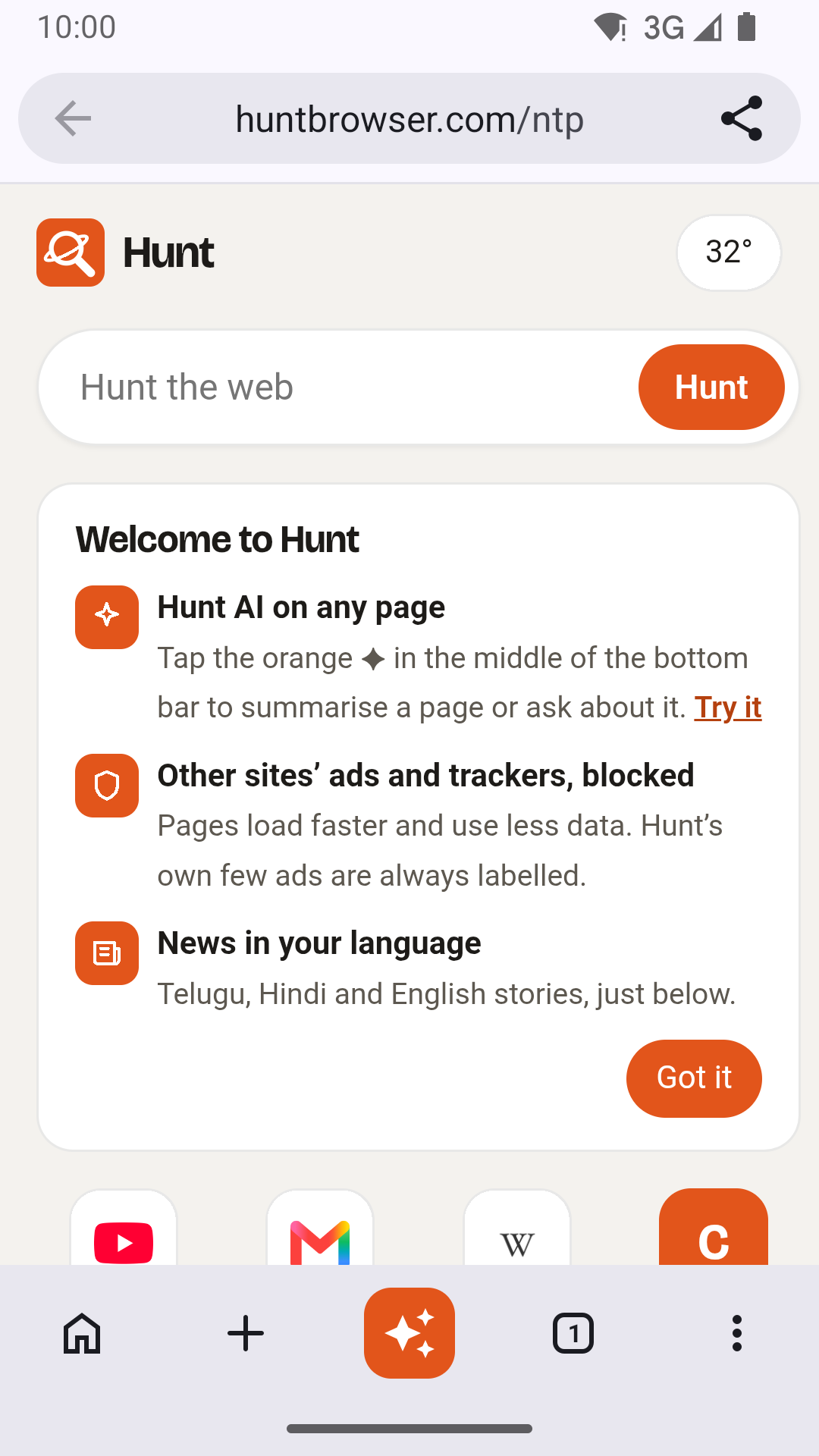
Add Hunt’s "Hunt the web" search box to your phone’s home screen. Hunt Browser offers it on first use and after a few searches, and Android asks you before anything is added.
- Search straight from the home screen
- Add it or skip it: your choice
 Thaja · Newtact
Hunt Browser for iPhone and iPad
A browser from the App Store with tabs, private tabs, bookmarks, history, downloads, find on page and desktop site. Other sites’ ads and trackers are blocked.
- Private tabs are never recorded in history
- Downloads go to the Files app
- Updated through the App Store
Thaja · NewtactThe new tab on iPhone
The clock, a search box, your quick links, a weather chip for your approximate city and news in your language. The weather needs no location permission.
- Sponsored quick links are labelled
- News under the first screen
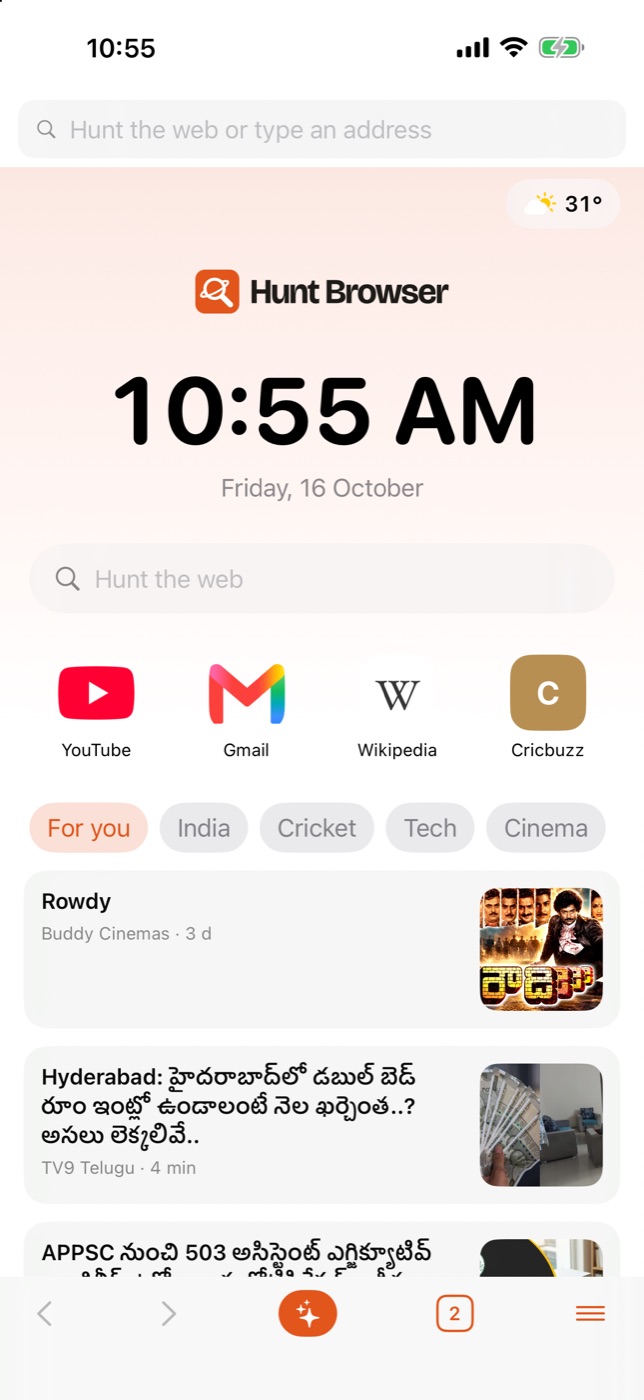 Thaja · Newtact
News and offline reading on iPhone
Headlines by topic, with more stories as you scroll; each story opens on the publisher’s own site. Each morning on Wi-Fi the app saves the day’s top stories for reading with no connection.
- Read the news on the train with no signal
- The morning save never uses mobile data
Thaja · NewtactHunt AI on iPhone
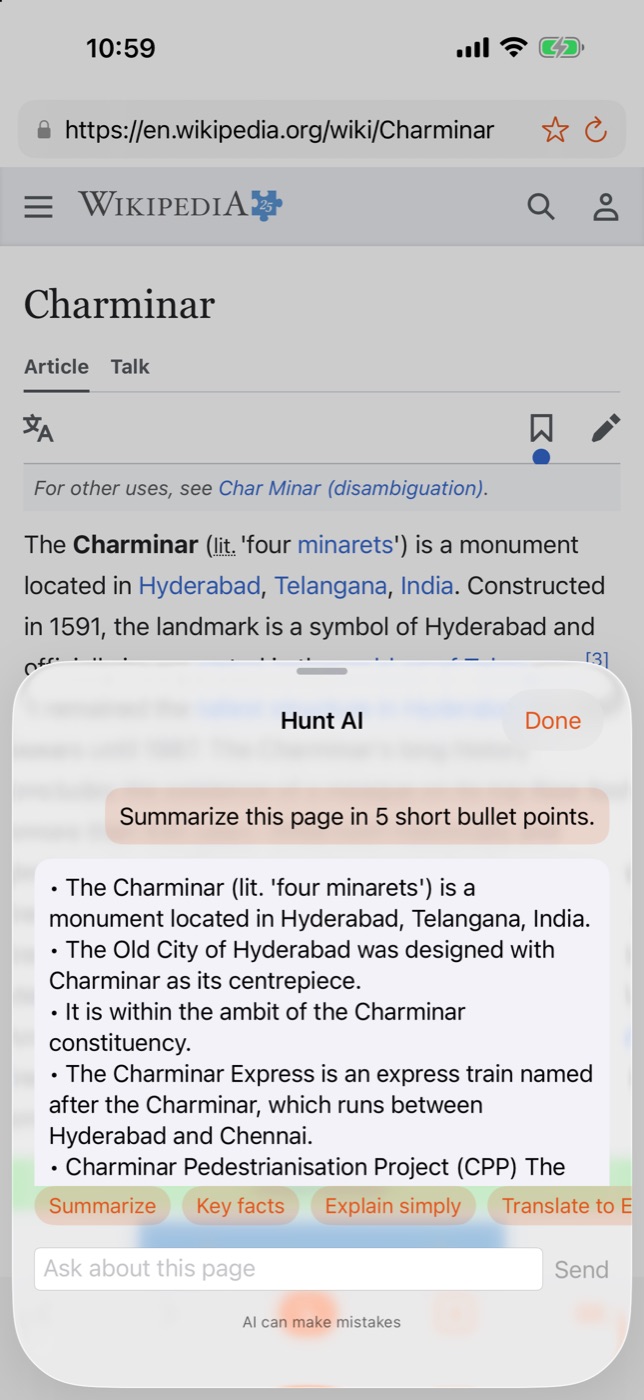
Tap the Hunt AI button in the bottom bar: one-tap tools summarize, list key facts, explain, translate or draft a reply, or type your own question. In a private tab nothing is sent to the cloud.
- Summaries and key facts work without an account
- Newer iPhones can answer on the device itself
- AI can make mistakes: check what matters
 Thaja · Newtact
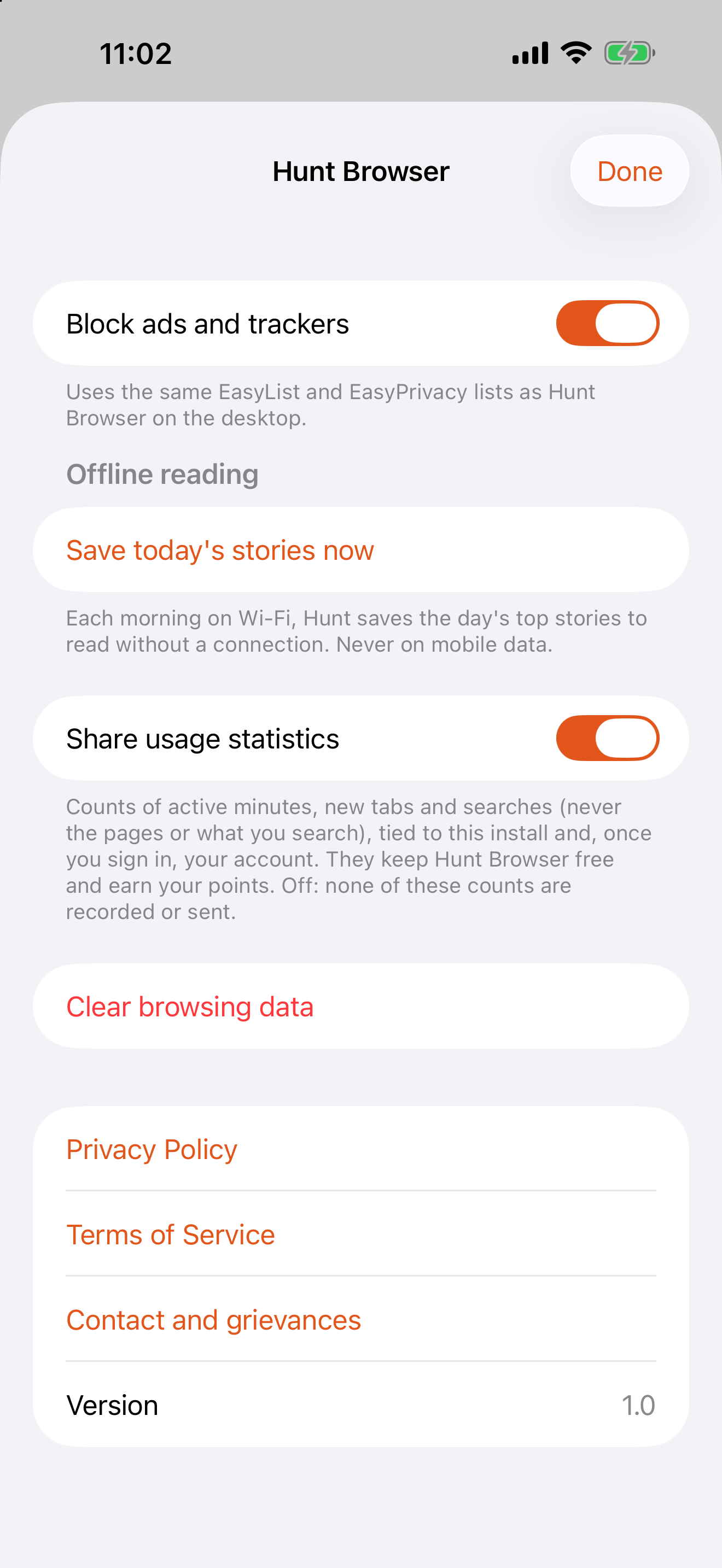
Settings on iPhone
One screen for blocking ads and trackers, your account, alerts by topic, offline reading, usage statistics and clearing browsing data. Delete account is here too.
- Usage statistics are your choice
- Privacy Policy, Help and Grievances one tap away
 Thaja · Newtact
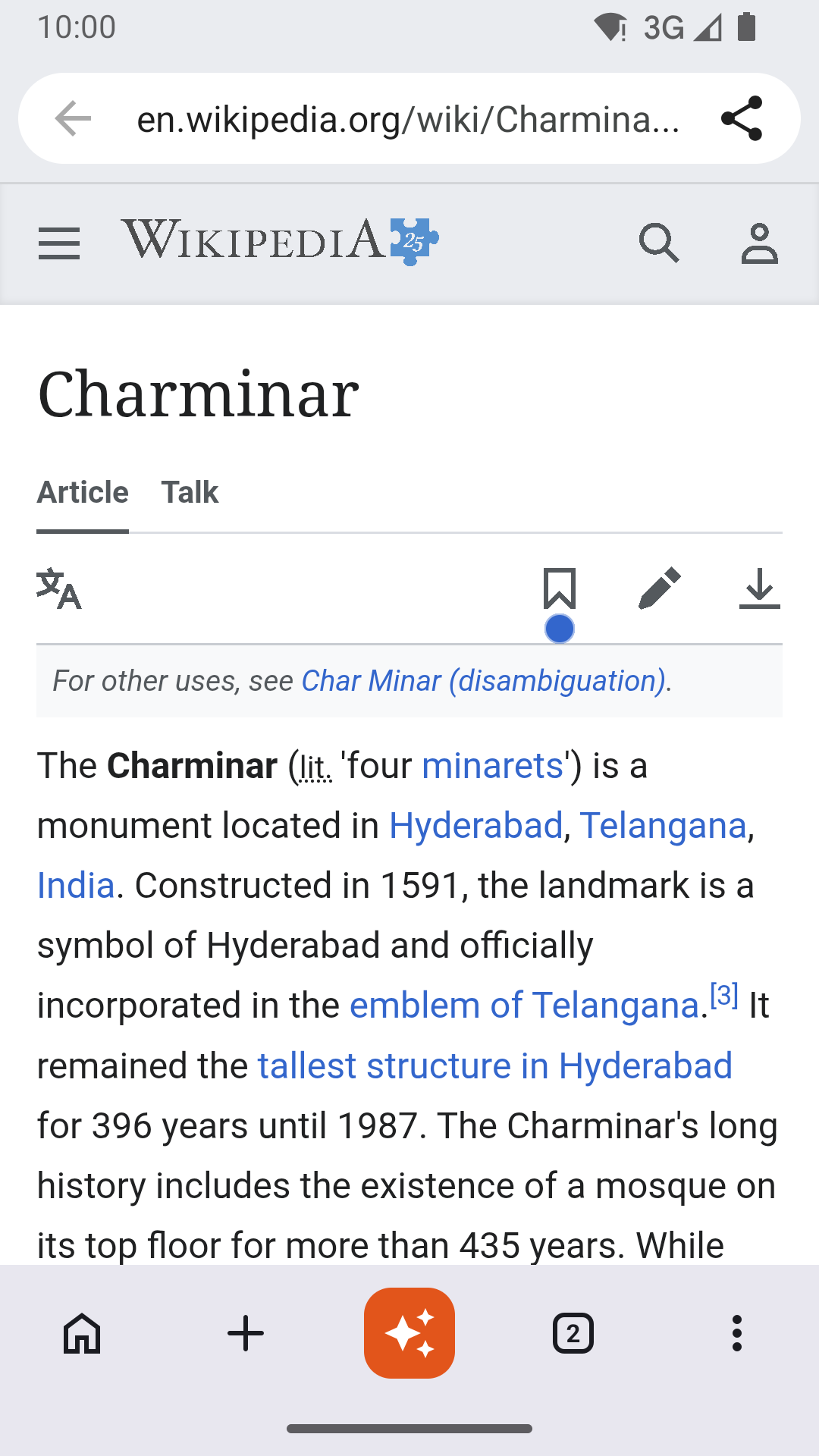
Hunt AI on Android
Tap the orange button in the middle of the bottom bar to ask Hunt AI about the page on screen. Signed in, it reads the page once and answers with your free daily answers; nothing is stored.
- One tap from any page
- The page is read only when you open Hunt AI
 Thaja · Newtact
Hunt Browser for Android
A full browser for Android phones, from Google Play. Every new tab is Hunt’s new tab, with search, shortcuts, weather, daily cards and news in your language.
- Other sites’ ads and trackers are blocked
- Hunt AI one tap away in the bottom bar
- Links you tap open in Hunt Browser, not in another app
- Updated through Google Play
Thaja · NewtactWebsite and help
huntbrowser.com explains everything, and is where people get help.
Thaja · Newtacthuntbrowser.com
The website explains what Hunt Browser does and has the download buttons and the store badges. It is light by default, with a "Dark mode" switch at the bottom of every page that remembers your choice.
- No ads on huntbrowser.com
- Easy to read in daylight; dark is one click away
The features pages and "What’s in Hunt"
huntbrowser.com/features lists every feature with how to use it and whether it is switched on today, with a page for each one; huntbrowser.com/features/guide shows the same as slides you can save as a PDF. Inside Hunt Browser, "What’s in Hunt" shows what is on in your own browser.
- See at a glance what you can use today
- One page per feature, with steps and questions
Thaja · NewtactDownload page
huntbrowser.com/download shows your own device first: the Windows or Mac download with its size and checksum, or the store button for Android and iPhone. On a computer, Hunt Browser can bring your bookmarks and passwords from your old browser, and then updates itself.
- The right download for your device
- A checksum to check the file
- No need to start from zero
Help page with Hunt AI and a message form
At huntbrowser.com/help, Hunt AI answers questions first, with no account and in your language. "Still need help?" opens a message form, and a person replies by email.
- Answers at once
- A real person replies by email
- Hunt AI does not see your account
Thaja · NewtactThe user guide
huntbrowser.com/guide is the full step-by-step guide: getting started on each device, what you can do with and without an account, and every screen. Support staff read the same text.
- One place for every screen
- No account needed
The Hunt blog
blog.huntbrowser.com has plain-language articles on staying safe online, India, AI, productivity and games. No account is needed; the blog shows ads.
- Plain-language articles
- An RSS feed to follow
Thaja · NewtactHunt extensions
Keeping your current browser? Small extensions that each do one job.
Thaja · NewtactHunt extensions for other browsers
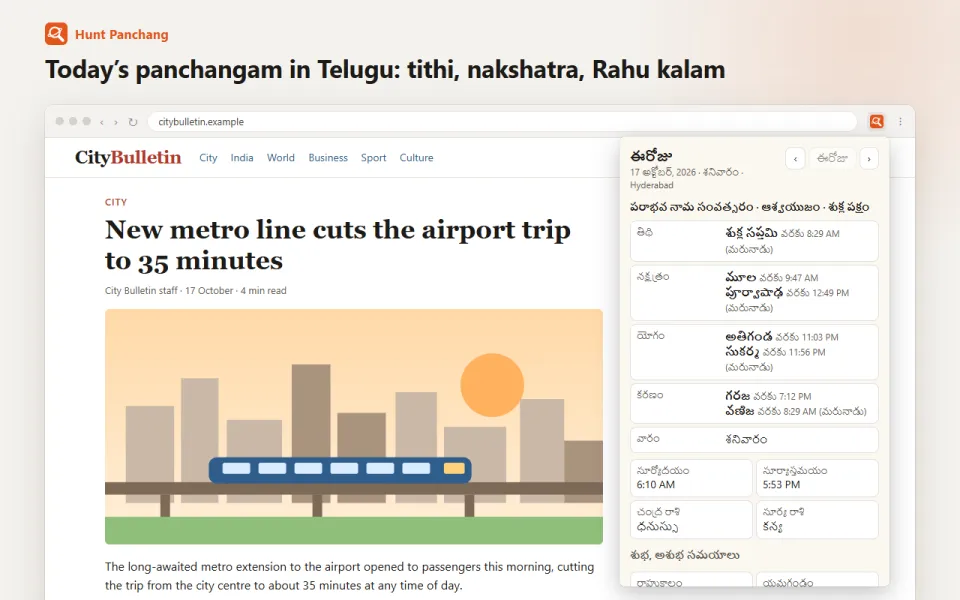
Small extensions that each do one job in the browser you already use: ad blocking, Hunt AI, PDF, Study, Write, Creator, dark mode, typing in your language, translation, video speed, tabs, screenshots, shopping, a new tab and a Telugu panchangam. huntbrowser.com/extensions shows which are in the stores, and they all share one Hunt account.
- Each does one job
- One Install button for your own browser
- Hunt Screenshot and Hunt Panchang exist only as extensions
 Thaja · Newtact
For advertisers
Hunt Ads: sponsored places in Hunt Browser, booked at ads.huntbrowser.com.
Thaja · NewtactHunt Ads: your campaigns
Shops and brands run their own ads at ads.huntbrowser.com. The home page shows your prepaid balance, impressions, clicks and spend, and every campaign with its status.
- Sign in with an emailed code, no password
- New accounts are activated by the Hunt team
- A note says why a campaign is not serving
Hunt Ads: create a campaign
Build a campaign with a preview: choose where it shows, add the picture and text, pick countries and devices, and set daily and total budgets. Every campaign is reviewed by the Hunt team before it runs.
- Save a draft and come back
- An estimate of impressions for your budget
Thaja · NewtactHunt Ads: billing
Billing shows your prepaid balance and every change to it: funds added, ad spend per day and adjustments. Online payments are not taken in the portal; the Hunt ads team adds funds after an offline payment.
- Every change to the balance is listed
- Nothing is charged online
Thaja · NewtactRecent changes to Hunt Browser
| When | Feature | Commit message | |
|---|---|---|---|
| 16 Nov 2026 | changed | Hunt Browser for Android | Its page in this guide was updated. d2e6bc4 |
| 16 Nov 2026 | changed | Fewer video ads | Its page in this guide was updated. d2e6bc4 |
| 7 Nov 2026 | changed | Hunt AI Premium | Its page in this guide was updated. f62c867 |
| 6 Nov 2026 | changed | The Hunt blog | Its page in this guide was updated. db74eb9 |
Thaja · NewtactTry it, and tell someone.
 Thaja · Newtact