

Ad and tracker blocking
Other sites' ads and trackers are blocked before they load.
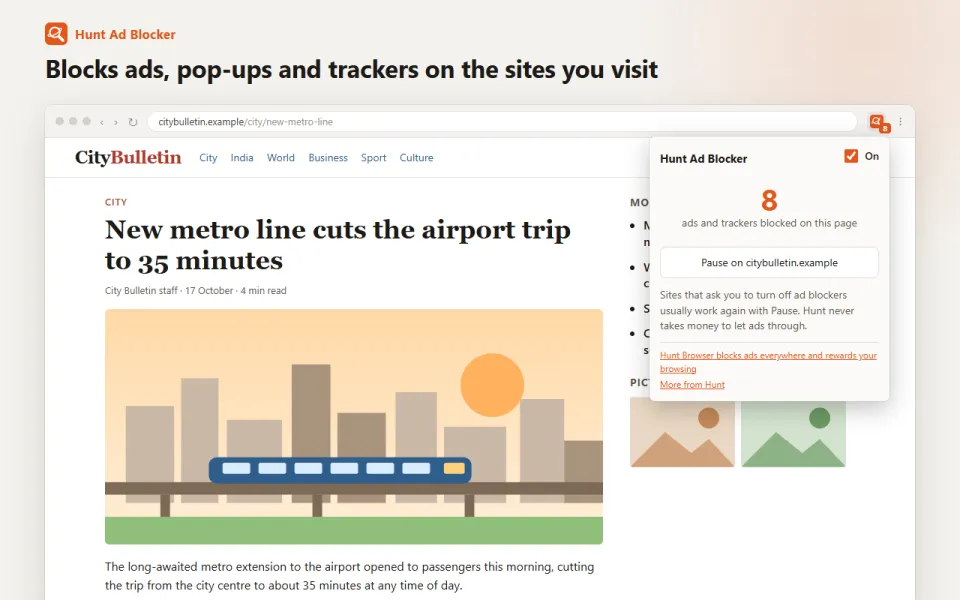
What it does
Blocks other sites' ads and trackers before they load, so pages open faster and follow you less.
For exampleA news site that loads 40 trackers loads none of them.
How to use it
- Nothing to set up: blocking is on from the first start.
- Your new tab shows how much data and time it saved you.
- If a site asks you to allow ads, open the Hunt button and pause blocking for that site.
Your privacy
Blocking happens on your device with public filter lists, including lists made for Indian sites. Hunt does not see the pages you visit.
Questions
Does Hunt show its own ads?
A few, such as sponsored shortcuts and cards in the news feed. They are always labelled "Sponsored" and never chosen from your browsing history.
A site stopped working. What do I do?
Open the Hunt button in the toolbar and pause blocking for that site. You can turn it back on the same way.
Keeping your current browser? Hunt Ad Blocker does the same job. See Hunt Ad Blocker
You might also like
Fewer video ads
Video ads are muted and skipped when they can be.
RAM, CPU and network limits
Busy background tabs sleep, so your computer stays quick.
Sidebar apps
WhatsApp, Telegram and Instagram beside any page.
Ad and tracker blocking, built in.
Free in Hunt Browser for Windows and Mac. Nothing else to install.