

Hunt PDF
Merge, split, rotate, compress and sign PDFs right on your device. Your files are never uploaded. Free, no sign-up.
On our list. It comes after the ones marked "Coming soon".
What it does
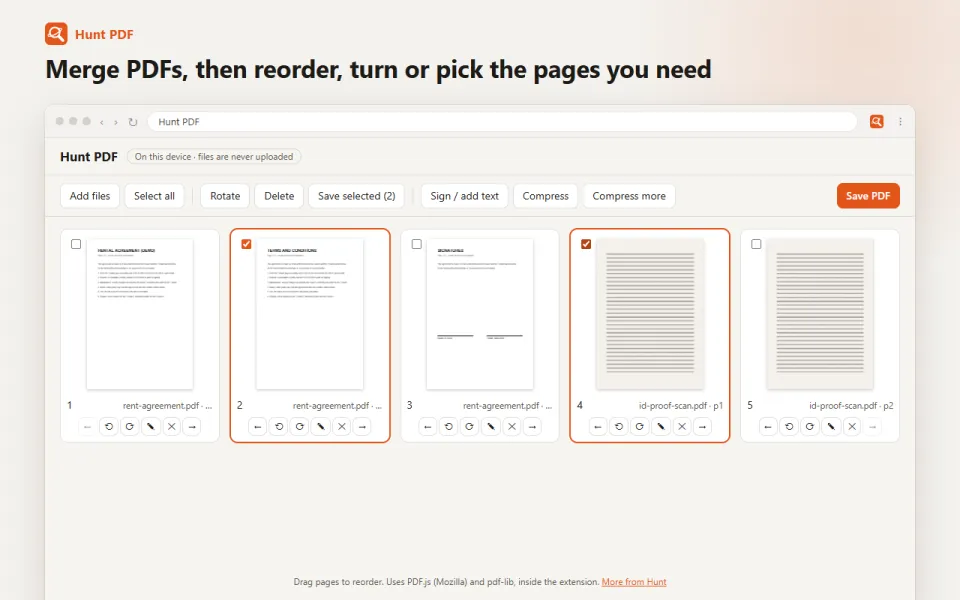
- Merge: put several PDFs (and photos or scans) together into one file
- Split: pick pages and save them as a new PDF
- Rotate, reorder (drag and drop) and delete pages
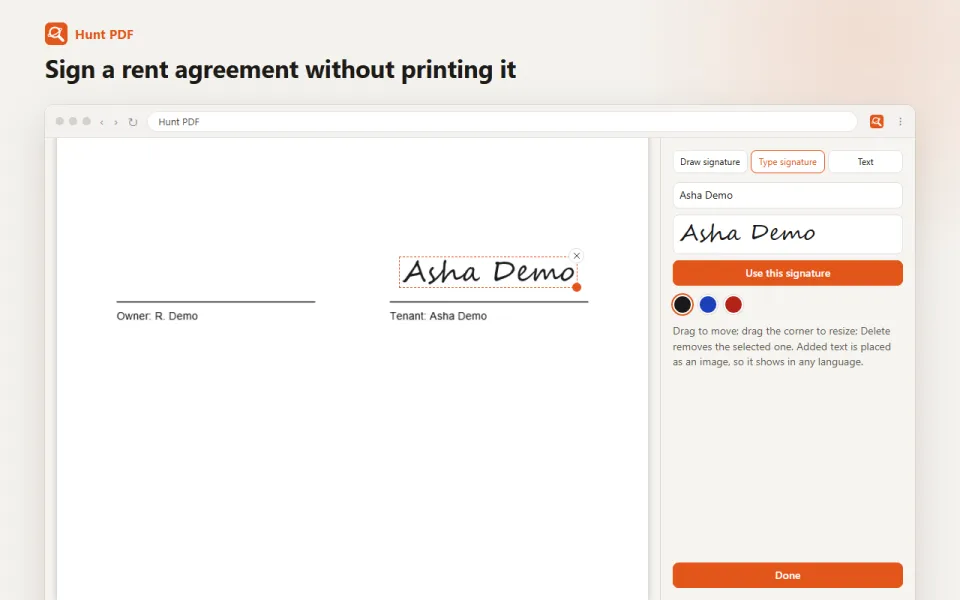
- Sign: draw your signature, or type your name in a handwriting style, and place it on any page
- Add text in any language (Hindi, Telugu, Tamil and more), in black, blue or red
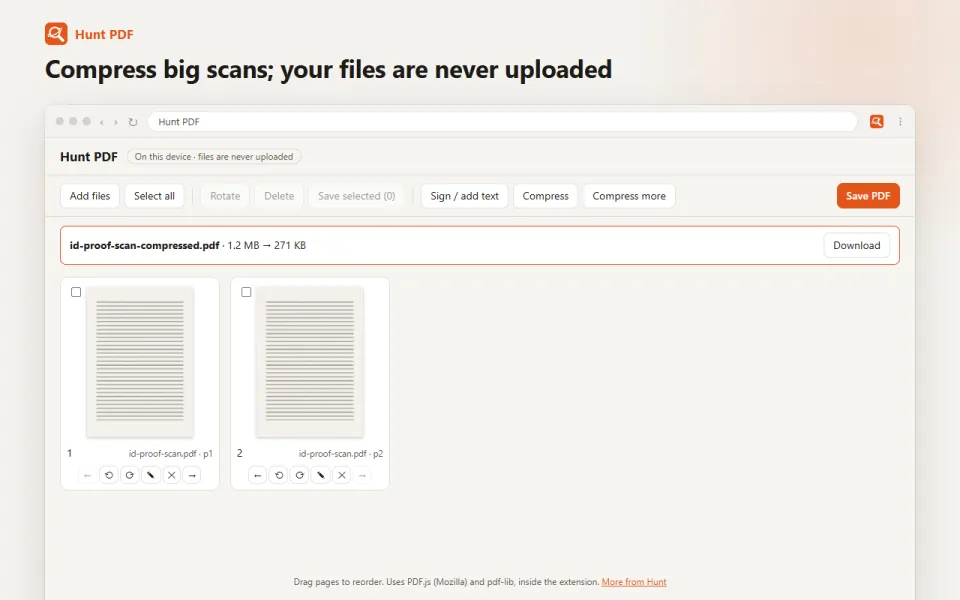
- Compress: rewrite a PDF more compactly, or shrink a scanned PDF a lot by turning its pages into images
- Turn JPG and PNG images into a PDF
- Click the Hunt PDF button while viewing a PDF to open it in the tools straight away
Using Hunt Browser? PDF tools is already built in, with nothing to install.
See it in action
Privacy, in plain words
What it works with: Edit PDFs on the device: merge, split, rotate, reorder, compress, sign and add text.
What it sends: Sends Hunt only a usage count (installs and minutes in use), never your pages or files.
Questions
Is it free?
Yes. Hunt PDF is free to install and use.
What does it send to Hunt?
Sends Hunt only a usage count (installs and minutes in use), never your pages or files. The privacy policy for Hunt extensions has the details.
Do I need it in Hunt Browser?
No. Hunt Browser has PDF tools built in, so there is nothing to install there.
More Hunt extensions
Hunt Video
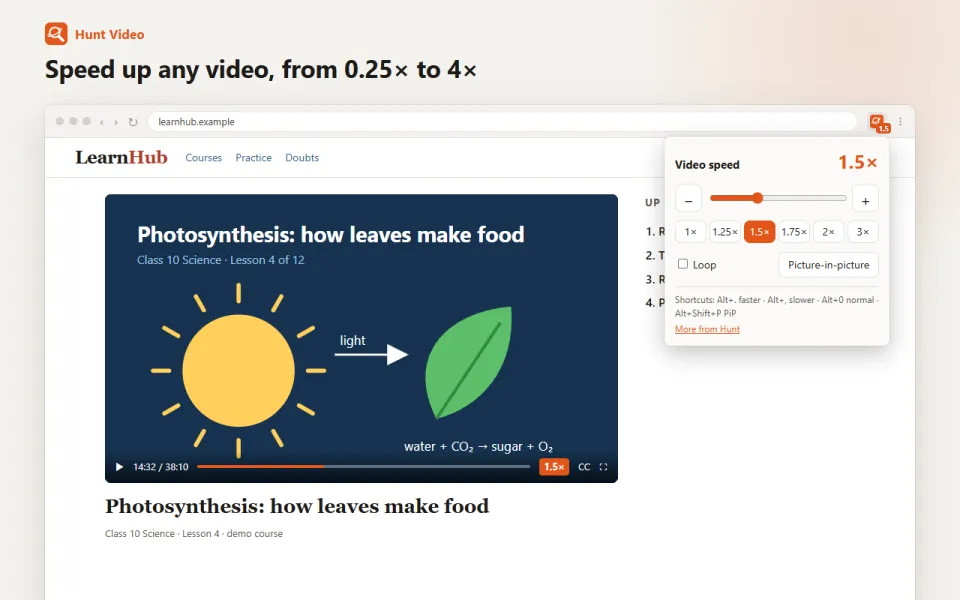
Coming soonSpeed up or slow down any video, loop it, or pop it out picture-in-picture. Keyboard shortcuts. Sends Hunt only a usage count (installs and minutes in use), never your pages or files.
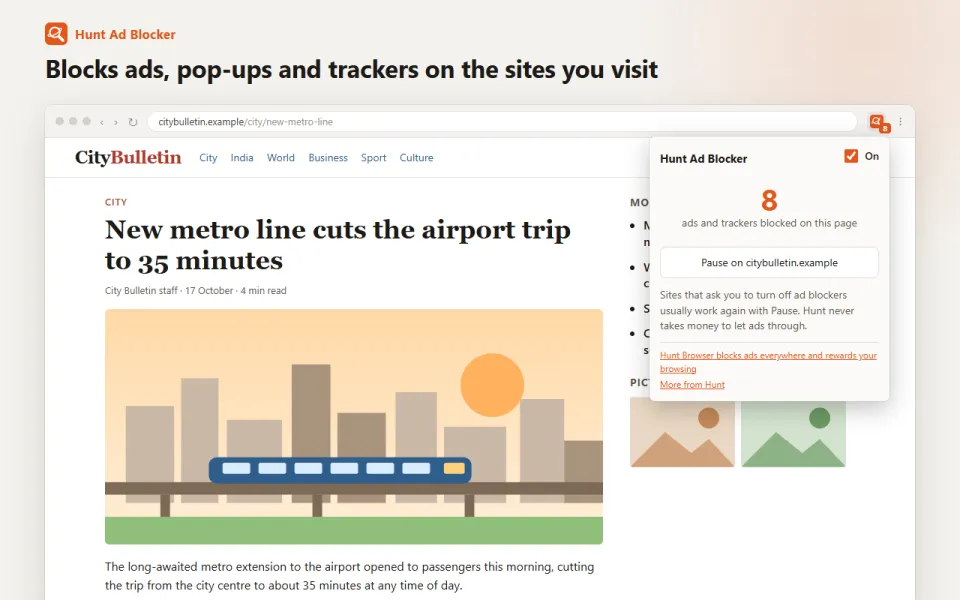
Hunt Ad Blocker
Coming laterBlock ads, pop-ups and trackers on the sites you visit, with Indian sites covered. Pause it on any site in one click.
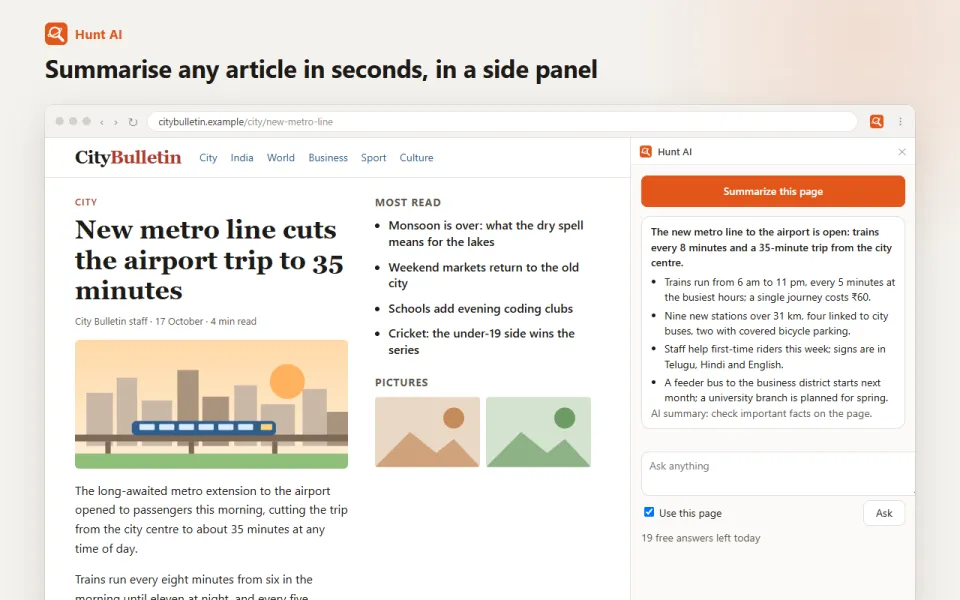
Hunt AI
Coming laterSummarise any article or page in seconds and ask questions about it, in a side panel. Free daily answers with a Hunt account.