

AvailableFree
Video speed, loop and picture-in-picture
Any video faster or slower, on loop, or in a small window.
WindowsMac
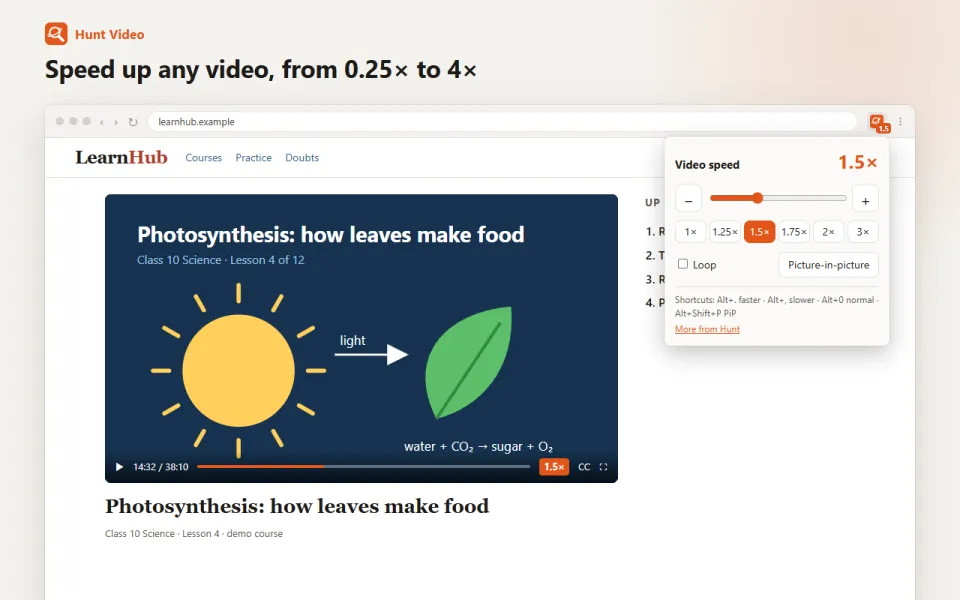
What it does
Play any video faster or slower, loop it, or keep it playing in a small window.
For exampleWatch a lecture at 1.5×, then pop it out while you take notes.
How to use it
- Open a page with a video.
- Click the Hunt button and pick a speed, from 0.25× to 4×.
- Or press Alt+. for faster and Alt+, for slower.
- Turn on Loop, or pop the video out into a small window.
Your privacy
Works on your computer. Nothing about the video is sent anywhere.
Questions
Does it work on every site?
On video sites, online classes, news sites and most video players.
Also as an extension
Keeping your current browser? Hunt Video does the same job. See Hunt Video
You might also like
Available
Fewer video ads
Video ads are muted and skipped when they can be.
WindowsMacFree
How it works →
Sign-in opens soon
Study
Notes, flashcards and a quiz from a page, video or PDF.
WindowsMacFree
How it works →
Available
Dark mode for every site
Bright sites turn dark. Keep any site as it is.
WindowsMacFree
How it works →Video speed, loop and picture-in-picture, built in.
Free in Hunt Browser for Windows and Mac. Nothing else to install.