

AvailableFree
Dark mode for every site
Bright sites turn dark. Keep any site as it is.
WindowsMac
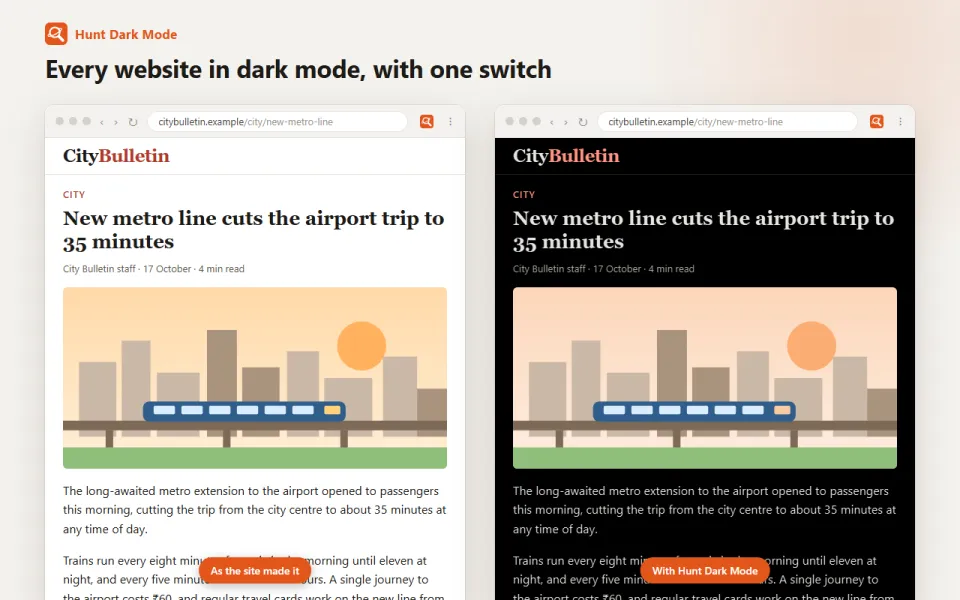
What it does
Turns bright sites dark, and you can keep any site as it is.
For exampleRead a white news site at night without the glare.
How to use it
- Click the Hunt button in the toolbar.
- Turn on Dark mode. Pages turn dark as they load.
- On a site you like as it is, switch it off just for that site.
Your privacy
Works on your computer.
Questions
What about sites that already have a dark theme?
They are left alone, so they keep their own look.
Also as an extension
Keeping your current browser? Hunt Dark Mode does the same job. See Hunt Dark Mode
You might also like
Available
Video speed, loop and picture-in-picture
Any video faster or slower, on loop, or in a small window.
WindowsMacFree
How it works →
Available
Type in your language
Type "namaste", get नमस्ते, in any text box.
WindowsMacFree
How it works →
Available
PDF tools
Merge, split, compress and sign PDFs. Files stay with you.
WindowsMacFree
How it works →Dark mode for every site, built in.
Free in Hunt Browser for Windows and Mac. Nothing else to install.